How it works
Photo to 3D in five taps.
No desktop rig, no complex sculpting tools. Just your iPhone.
- 01
Pick your app & input
Choose a photo from your library, snap a new one, or type a prompt in 2D Image to 3D Model Maker.
- 02
Tune your settings
Optionally set style, texture, Triangle/Quad topology, target polycount, symmetry, or T/A pose.
- 03
Generate in the cloud
Cloud AI reconstructs the geometry and textures in seconds — no desktop GPU or 3D modeling skills needed.
- 04
Inspect in 3D or AR
Rotate, zoom, and pan in the built-in 3D viewer, or place the model in your space with Augmented Reality.
- 05
Export & share anywhere
Save as GLB, OBJ, USDZ, GLTF, FBX, STL, or 3MF and share via Files, AirDrop, or into your 3D pipeline.
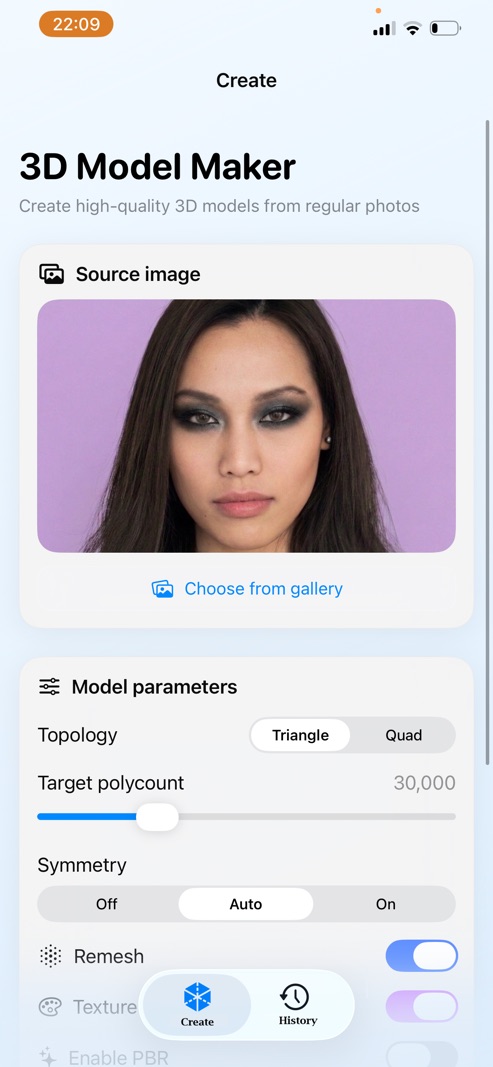
A full 3D studio, in your pocket.
Choose the 3DModelMaker iOS app that fits your workflow — all free to download on the App Store.